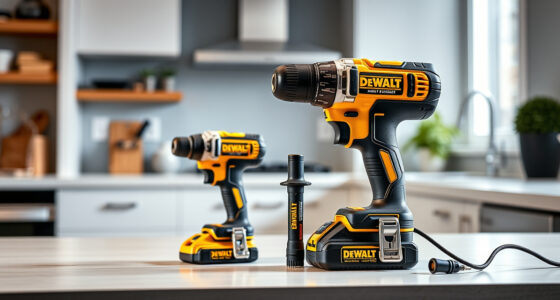
Getting started with your new DEWALT power tools can be straightforward if you follow proper setup procedures. Whether you’re a seasoned professional or a DIY enthusiast, knowing how to assemble, activate, and troubleshoot your DEWALT 20V MAX cordless drill ensures safe operation and long-lasting performance.

Get business pricing on garage and car supplies
- Business-only prices and quantity discounts
- Tax-exempt purchasing
- Multiple users, one account, clear invoices
This guide provides a detailed, step-by-step approach to setting up your DEWALT drill, recommended accessories, and tips for safe use. Ready to start your projects with confidence? Let’s dive in.
Key Takeaways
| Ensure safety first | Always wear protective gear and disconnect batteries during setup. |
| Proper battery installation | Insert the battery firmly into the drill until it clicks. |
| Select appropriate accessories | Use compatible drill bits and accessories for best results. |
| Test before use | Run the drill briefly to verify proper operation. |
| Maintain safety during operation | Keep hands clear of rotating parts and work in well-lit areas. |
Unboxing and Initial Inspection
- Carefully unpack your DEWALT 20V MAX Cordless Drill Driver Set and check all included components: the drill, 2.0 Ah battery, charger, and accessories.
- Inspect each item for any visible damage or defects. Do not use damaged parts; contact DEWALT support if needed.
- Familiarize yourself with the parts, especially the battery slot, LED light, and trigger.
Installing the Battery
- Align the battery (DCB205-2) with the base of the drill. Ensure the contacts are facing the correct way.
- Push the battery into the slot until you hear a click, indicating it is securely in place.
- Press the LED indicator button on the battery to check the charge level before use. If low, recharge with the DEWALT charger.
Assembling and Selecting Settings
Most DEWALT drills come pre-assembled, but ensure the following:
- The 1/2-inch single-sleeve ratcheting chuck is properly secured.
- The two-speed transmission selector is set to your desired setting (low or high).
Choose the appropriate speed based on your task: lower for torque-intensive jobs, higher for faster drilling.
Testing Your Drill
- Hold the drill in a safe, stable position.
- Press the trigger to activate the LED light; it should turn on immediately.
- Run the drill briefly in an open space to ensure it operates smoothly without unusual noise or vibration.
- Release the trigger and check the LED light; it should turn off after 20 seconds, or sooner if you release the trigger.
Using Accessories and Maintaining Safety
Choose compatible drill bits, such as the DEWALT Drill Bit Set (asin=B07DH55YRX), for various materials. Always:
- Secure bits tightly in the chuck before operation.
- Wear safety goggles and gloves when working.
- Work in well-lit, ventilated areas.
Regularly clean your drill and check for wear or damage. Store it in a dry place and recharge batteries as needed.
The Products in This Guide

DEWALT 20V MAX Cordless Drill Driver Set
- ✔ Motor: Brushless
- ✔ Trigger delay: 20 seconds
- ✔ Front to back length: 7.6 inches

DEWALT Drill Bit Set
- ✔ Coating: Rust-resistant
- ✔ Tip Angle: 135°
- ✔ Shank Type: 3-Flats
DEWALT 20V MAX Cordless Drill Driver Set
The DEWALT 20V MAX Cordless Drill Driver Set is a reliable and versatile tool suitable for both professional and DIY applications. Its brushless motor delivers more run time, and its lightweight design makes it easy to maneuver in tight spaces. The included 2.0 Ah battery and charger ensure you’re ready to work right out of the box.
Pros:
- Long-lasting brushless motor
- Compact and lightweight
- LED lighting for visibility
- 2-speed transmission for versatility
Cons:
- Battery life may vary with heavy use
- Requires compatible accessories for optimal performance
Best for: General-purpose drilling and fastening in tight spaces
Not ideal for: Heavy-duty industrial applications requiring higher torque
Bottom line: A highly capable drill for versatile, safe, and efficient work.
DEWALT Drill Bit Set
The DEWALT Drill Bit Set offers a comprehensive range of bits with a split point design that reduces walking, making it perfect for various materials like wood, plastic, and metal. Its high-speed steel construction ensures durability and resistance to breakage.
Pros:
- Includes 14 pieces for versatile use
- High-quality HSS material
- Reduces walking during drilling
- Easy to identify sizes
Cons:
- Limited to general-purpose bits
- No specialized bits for masonry or concrete
Best for: Home improvement, woodworking, DIY projects
Not ideal for: Heavy-duty construction work requiring masonry bits
Bottom line: A versatile, durable drill bit set for multiple materials.
Frequently Asked Questions
How do I change the battery on my DEWALT drill?
Press the release button on the battery and pull it straight out from the base of the drill. To install, align the contacts and push until it clicks securely.
Can I use other batteries with my DEWALT drill?
Only DEWALT batteries designed for the 20V MAX system are recommended for compatibility and safety. Using incompatible batteries can cause damage or safety issues.
What safety gear should I wear when using the drill?
Always wear safety goggles to protect your eyes, gloves for hand protection if needed, and ear protection during extended use. Keep loose clothing and jewelry away from moving parts.
How can I prolong the battery life?
Keep batteries charged but avoid overcharging. Store batteries in a cool, dry place, and recharge when the indicator shows a low charge. Regularly clean contacts to ensure optimal connection.
What should I do if my drill isn’t working properly?
First, check the battery charge. If fully charged and still not working, inspect the chuck and trigger for debris or damage. Refer to the troubleshooting section of your manual or contact DEWALT support.
Getting the Most Out of Your DEWALT Power Tools
Proper setup and maintenance are key to maximizing the performance and longevity of your DEWALT power tools. Follow the step-by-step instructions to assemble and test your drill safely, and always use compatible accessories for best results. With the right precautions and care, your DEWALT drill will serve you reliably for many projects to come.
Remember, safety is paramount—wear protective gear, work in well-lit areas, and handle batteries and accessories responsibly. Happy drilling!
Affiliate disclosure: As an Amazon Associate we earn from qualifying purchases. Prices and availability are accurate as of the time of publishing.
Halloween Picks
halloween
As an affiliate, we earn on qualifying purchases.