
If your Milwaukee power tool charger is blinking red, it indicates an issue that needs attention. This guide provides clear, safe steps to diagnose and fix the problem, helping you get your tools back to work quickly and efficiently.

Get business pricing on garage and car supplies
- Business-only prices and quantity discounts
- Tax-exempt purchasing
- Multiple users, one account, clear invoices
Whether your charger isn’t charging properly or the red light keeps blinking, understanding the common causes and following these troubleshooting steps can save you time and prevent unnecessary replacements.
Key Takeaways
| Identify blinking patterns | Different blinking patterns signal specific issues, from overheating to battery faults. |
| Check battery compatibility | Ensure you’re using compatible Milwaukee batteries for your charger model. |
| Inspect for dirt and damage | Clean contacts and examine for physical damage that could hinder charging. |
| Test with known good batteries | Use fully charged, compatible batteries to isolate the problem. |
| Follow safety precautions | Always disconnect power and wear safety gear during troubleshooting. |
Understanding the Red Blinking Pattern
First, observe the pattern of the red blinking light. Milwaukee chargers often use blinking sequences to indicate specific issues. For example, a steady red light might mean charging, while rapid blinking could denote an overheating alert or a battery fault. Consult your charger’s manual or Milwaukee’s support resources to decode these signals. Recognizing the pattern helps narrow down the root cause quickly.
Ensure Proper Battery Compatibility and Connections
- Power off the charger and unplug it from the power source.
- Remove the battery from the charger.
- Inspect the battery contacts for dirt, corrosion, or damage. Clean contacts gently with a dry cloth or a soft brush if needed.
- Reinsert the battery firmly, ensuring it clicks into place properly.
- Plug the charger back in and see if the red blinking persists.
If the blinking continues, test with a different, fully charged compatible battery to determine if the issue is with the battery or the charger.
Check for Overheating or Environmental Issues
Overheating is a common reason for a blinking red light. Ensure the charger is in a well-ventilated area, away from direct sunlight, heat sources, or excessive humidity. Allow the charger to cool down if it feels warm. Avoid charging in extremely cold or hot environments, as these conditions can cause the charger to malfunction or blink red as a protective measure.
Inspect and Clean Charger Contacts and Cables
Power off and unplug the charger. Examine the charging port, contacts, and cable for dirt, debris, or damage. Use a dry cloth or compressed air to clean contacts gently. Damaged cables or connectors should be replaced immediately to prevent further issues. Proper contact is essential for efficient charging and avoiding error signals like blinking red.
Test with Known Good Batteries and Reset the System
Use a fully charged, compatible Milwaukee battery to test the charger. If the red blinking stops and the charger indicates normal operation, the problem may lie with the original battery. If the issue persists, try resetting the charger by unplugging it, waiting for 30 seconds, then plugging it back in. Sometimes, a simple reset can clear minor faults and restore normal function.
When to Seek Professional Repair or Replacement
If you’ve tried all troubleshooting steps and the charger still blinks red, the internal circuitry or components may be damaged. In such cases, contact Milwaukee customer support or a qualified service technician. Continuing to use a malfunctioning charger can be unsafe and may damage your batteries or tools. Consider replacing the charger if repairs are not feasible or cost-effective.
The Products in This Guide

Milwaukee M18 18V Cordless Power Tool Combo Kit
- ✔ Weight: 1.2 lbs
- ✔ Dimensions: 6 x 3 x 2 inches
- ✔ Certifications: UL Listed

Milwaukee Shockwave 100pcs Impact Driver Bit Set Packout
- ✔ Impact Rating: Yes
- ✔ Storage: Packout case
- ✔ Price Range: $50-$70
Milwaukee M18 18V Cordless Power Tool Combo Kit
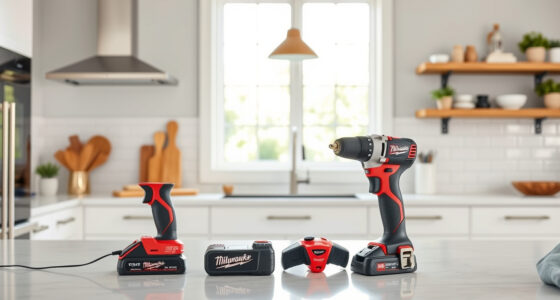
The Milwaukee M18 18V Cordless Power Tool Combo Kit includes a charger designed for durability and consistent performance. If your charger blinks red, following these steps can often resolve common issues, ensuring you get back to work swiftly.
Pros:
- Durable construction
- Fast charging capability
- Compatible with multiple batteries
- Easy to troubleshoot
Cons:
- Can overheat if used in hot environments
- Requires proper contact cleaning
- Potential internal damage may need professional repair
Best for: Tradespeople needing reliable charging on the jobsite
Not ideal for: In environments with extreme heat or cold without appropriate precautions
Bottom line: Follow these steps to troubleshoot and resolve a blinking red LED on your Milwaukee charger effectively.
Milwaukee Shockwave 100pcs Impact Driver Bit Set Packout
Complement your Milwaukee tools with this impact driver bit set, perfect for various fastening tasks. Its compatibility and high-quality construction make it an excellent addition to your toolkit.
Pros:
- 100 pieces for versatility
- Durable impact-rated bits
- Organized Packout case
- Suitable for heavy-duty use
Cons:
- Bit sizes are fixed
- Case may be bulky for some
- Requires impact driver for best use
Best for: Professional contractors and DIY enthusiasts
Not ideal for: For users needing only a few specific bits
Bottom line: A comprehensive impact driver bit set that enhances your Milwaukee toolkit.
Frequently Asked Questions
What does a blinking red light on my Milwaukee charger mean?
A blinking red light typically indicates a fault such as overheating, poor contact, incompatible battery, or internal circuitry issues. Refer to your manual for specific pattern codes.
Can I continue charging if the red light blinks?
No. Blinking red generally signals a problem that needs troubleshooting before charging can resume safely and effectively.
How do I reset my Milwaukee charger?
Unplug the charger from the power source, wait for about 30 seconds, then plug it back in. This can clear minor faults and reset the system.
Is it safe to clean the contacts myself?
Yes, use a dry cloth or soft brush to gently clean the contacts. Avoid using liquids or abrasive materials to prevent damage.
When should I replace my Milwaukee charger?
If troubleshooting doesn’t resolve the blinking red light, and the charger shows signs of internal damage or persistent faults, replacement is recommended for safety and reliability.
Getting Your Milwaukee Charger Back in Action
Dealing with a blinking red light on your Milwaukee charger can be frustrating, but most issues are fixable with careful inspection and troubleshooting. Always start by understanding the blinking pattern, ensure proper connections, and avoid environmental hazards. If the problem persists despite these steps, contacting Milwaukee support or replacing the charger may be the best course. Maintaining proper care and regular cleaning of contacts will extend the lifespan of your charger and keep your tools ready for any task.
Affiliate disclosure: As an Amazon Associate we earn from qualifying purchases. Prices and availability are accurate as of the time of publishing.
Fall Picks
fall essentials
As an affiliate, we earn on qualifying purchases.