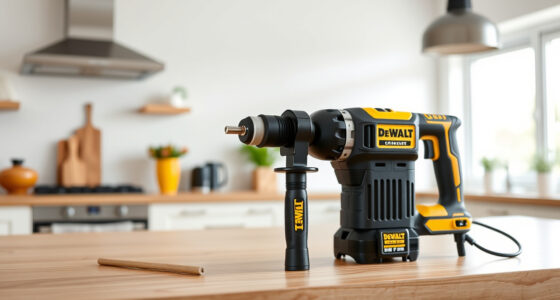
If your DeWALT 20V MAX battery isn’t charging, it can halt your projects and cause frustration. Understanding common causes and following proper troubleshooting steps can help you quickly identify and fix the issue. This guide provides practical, safe advice to get your power tool back in action.

Get business pricing on garage and car supplies
- Business-only prices and quantity discounts
- Tax-exempt purchasing
- Multiple users, one account, clear invoices
Always prioritize safety when handling batteries and electrical components. Make sure to disconnect the charger from power before inspecting it or the battery.
Key Takeaways
| Battery age | Older batteries may lose their charge capacity or become faulty. |
| Charger issues | Defective or incompatible chargers can prevent proper charging. |
| Connection problems | Loose contacts or dirt on the contacts can interfere with charging. |
| Temperature factors | Extremely cold or hot environments affect battery charging. |
| Battery health | Damaged or swollen batteries should be replaced. |
Step 1: Inspect the Battery and Charger
- Remove the battery from your DeWALT tool and examine it closely for any swelling, corrosion, or damage.
- Check the charger for visible damage, such as frayed cords or broken pins.
- Ensure the charger is plugged into a working outlet by testing it with another device.
Step 2: Clean the Battery Contacts
- Turn off and unplug the charger.
- Use a dry, lint-free cloth or a soft brush to gently clean the metal contacts on both the battery and the charger.
- Avoid using water or liquids that could cause further damage.
Step 3: Check the Battery Fit and Connection
- Reinsert the battery into the charger, ensuring it clicks securely into place.
- Make sure the contacts are aligned properly and no debris is obstructing contact.
Step 4: Test in Different Conditions
- Attempt to charge the battery in a warmer environment, avoiding extreme cold or heat.
- If possible, try a different compatible charger to rule out charger issues.
Step 5: Replace the Battery or Charger if Needed
If the battery still does not charge after these steps, consider replacing the battery or charger. Use genuine DeWALT parts for compatibility and safety.
The Products in This Guide

DEWALT 20V MAX Cordless Drill Driver Set
- ✔ LED Light: Yes
- ✔ Speed Settings: 2-Speed
- ✔ Tool Length: 7.6 inches

DEWALT Drill Bit Set
- ✔ Compatibility: All 1/4 inch shank drills
- ✔ Use: Plastic, wood, metal
- ✔ Durability: High
DEWALT 20V MAX Cordless Drill Driver Set
The DEWALT 20V MAX Cordless Drill Driver Set is a versatile and durable tool, equipped with a brushless motor for increased run time. Proper charging is essential for optimal performance, so troubleshooting battery issues is crucial for uninterrupted work.
Pros:
- Long-lasting 2.0 Ah battery
- Brushless motor for efficiency
- Compact and lightweight design
- LED work light included
Cons:
- Battery can degrade over time
- Requires compatible charger
- Limited to 20V system
Best for: General-purpose drilling and fastening in tight spaces
Not ideal for: Heavy-duty industrial use or extended high-load tasks
Bottom line: A reliable, efficient drill that benefits from proper battery maintenance.
DEWALT Drill Bit Set
Complement your DeWALT drill with this 14-piece drill bit set, designed for plastic, wood, and metal. The 135-degree split point helps reduce walking for precise drilling, making it a great addition to your toolkit.
Pros:
- Durable High-Speed Steel
- Rust-resistant coating
- Easy size identification
- Tapered web for strength
Cons:
- Only compatible with standard drills
- Limited to certain sizes
- No carrying case included
Best for: General drilling tasks in multiple materials
Not ideal for: Heavy-duty industrial drilling or large-scale projects
Bottom line: A versatile drill bit set that enhances your drilling precision.
Frequently Asked Questions
Why won’t my DeWALT battery charge?
Possible reasons include a damaged battery, faulty charger, poor contact points, or environmental factors like temperature. Follow troubleshooting steps to identify the cause.
How do I know if my battery is dead?
If the battery does not hold a charge after multiple attempts, shows swelling, or the LED indicator on the charger does not light up, it may need replacement.
Can I leave my battery on charge overnight?
Yes, modern DeWALT chargers are designed to prevent overcharging, but it’s best to follow manufacturer recommendations and avoid leaving batteries plugged in constantly.
What temperatures are ideal for charging?
Charge batteries in a temperature range of 32°F to 113°F (0°C to 45°C). Charging outside this range can reduce battery life or prevent charging altogether.
Getting Your DeWALT Battery Back in Action
By carefully inspecting, cleaning, and testing your battery and charger, you can often resolve charging issues without costly replacements. Always use genuine parts and follow safety precautions to ensure the longevity and performance of your tools. If problems persist, consider professional testing or replacing the battery with a new, compatible model.
Affiliate disclosure: As an Amazon Associate we earn from qualifying purchases. Prices and availability are accurate as of the time of publishing.
Halloween Picks
halloween
As an affiliate, we earn on qualifying purchases.